How to Order Products
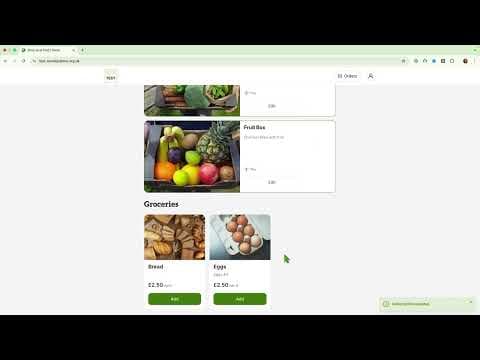
You can add extra items to your box whenever you like:
- Every week → When you add an item, it will be included in each weekly delivery until you change it.
- One-off → Select "One-off order" if you only want the item in your next delivery
Choose Your Products
Skipping a Delivery
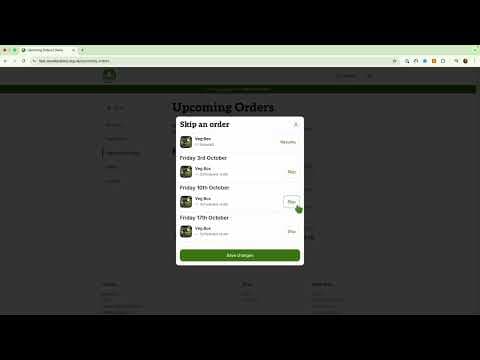
Heading away or need a break? You can skip an order:
- Go to your Upcoming Orders in your account.
- Select the week you'd like to skip.
- Tap Skip this delivery.
- Sarah Green's Organics has the option to donate your order; you can also choose to do this here.
How to Skip a Delivery
Cancelling Your Subscription
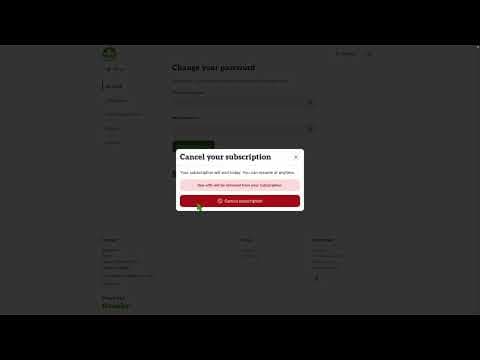
If you no longer want your subscription, you can cancel anytime:
- Go to Manage Orders.
- Click on Account.
- Select Cancel subscription and confirm the cancellation.
How to Cancel a Subscription
Confirming Your Upcoming Orders
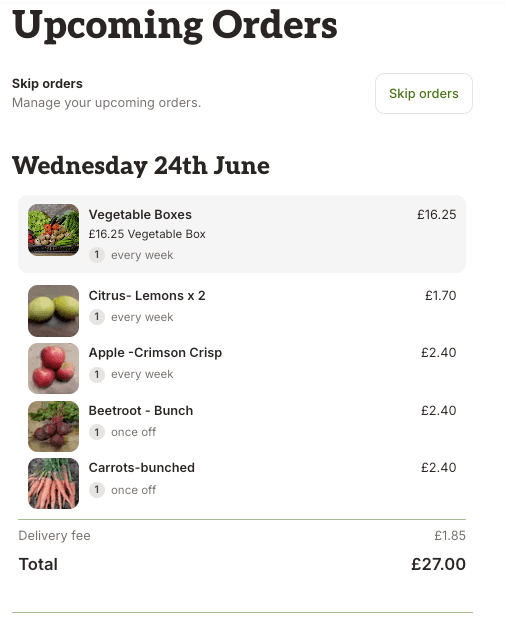
Want to double-check what's coming? Visit My Orders to see your next deliveries. Any extras or skips will show clearly.
The site is designed to work smoothly on your computer, tablet, or phone.
“Great vegetables & you can fine tune your vegbox to suit. Eating more seasonally & organic, so much better for the environment. Weekly newsletter helps understand organic farming & I’m happy supporting a local farmer.”